As the use of mobile devices like smartphones and tablets increase every day, the need for cloud storage services has also been growing rapidly. Mobile devices with their small and sleek form factors have limitations on the internal storage available on them. This has made cloud storage services a necessity even to the common man. Vying the huge potential in online storage space, many cloud storage services are providing free storage to lure new customers.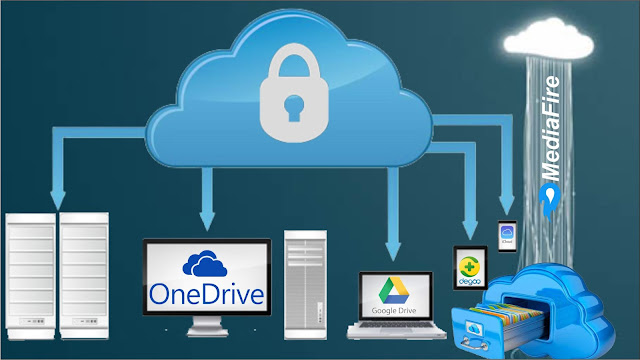
With free cloud storage services, you can store your videos, music, movies, photos, and files in the cloud for free and access them from anywhere on the go through the Internet. Your data is safe with the cloud storage providers and you don’t run the risk of a crashed or stolen hard disk.
Free cloud storage is all the rage. If you want to upload a school or work document or share a simple family photo album, there’s no need to spend money on an expensive paid service. Most people don’t need terabytes of storage to sync and share files. Many cloud services can fit your needs, with a cost of zero.
Free space offered
Speed and performance
Features (some services severely limit their free accounts)
Bonus space
You’ll generally want to avoid services with file size limits. They’re not worth the hassle. Many free accounts also have daily transfer limits for shared links, which you’ll want to keep in mind if you share lots of files. I’ll mention these limitations for each service if they apply.

ADrive gives you an impressive 50 GB of free cloud storage with personal accounts. But, with the free account, you miss out on the best features of ADrive like 16 GB file uploads and also have to bear with the ads on Android and IOS apps.
2.ASUS Web Storage
Web Storage offers 8 GB for free, with an additional 512 MB for each referred friend. The free plan supports one PC, and there’s a 500 MB file size limit.
3.Bitcasa
Bitcasa is a cloud storage service that lays emphasis on the privacy of your data. All data you store on Bitcasa is encrypted before upload and only you can view them. Bitcasa provides 20 GB of free cloud storage and you can access your data from 3 different devices.

Box offers 10 GB of free cloud storage space. I think their free account falls short of Dropbox and Google Drive. There’s a 250 MB file size limit on it, as well as no file version history.
5.CloudMe

Cloud Me is a Swedish cloud storage service that gives you 3 GB of free space. You can earn up to 19 GB by referring friends. Each friend will get 500 MB for using your invitation.
There’s a 150 MB file upload limit with the free account, which is pretty bad.
Cubby is a cloud storage service from LogMeIn. It offers 5 GB of free space, although you can increase it to a hefty 25 GB by referring friends (+1 GB each).
Degoo is a small Swedish startup that is giving away an unheard-of 100 GB of free cloud storage. That’s 50 times more than Dropbox, and it trounces MEGA with double the space offered.The desktop software is simple and easy to use. There’s no file sync and share, however. There’s also no Linux client or web interface to access to your files. You can access your backed up files on mobile devices, but the experience is not as seamless as other cloud providers.
Dropbox has held steady over the years with their 2 GB of free storage offer. It’s tiny compared to some other services, but Dropbox makes up for it with simple and reliable file synchronization. The apps are easy to use, and files sync quickly across devices (even faster when devices are on the same WiFi network, due to LAN sync). Dropbox has clients for every major operating system including Linux.With shared links, Dropbox has a traffic limit of 20 GB per day for free accounts. If you go over this limit, Dropbox will temporarily suspend any links you’ve created.

New Flip Drive users get 10 GB of initial storage with an opportunity for more for each friend they can refer to start using Flip Drive.
There aren't any mobile or desktop programs that can be installed for uploading files to Flip Drive, so the web version must suffice. Though you can upload whole folders using the website, which is nice.
You can share files with anyone, even if they don't have a Flip Drive account. However, accessing shared folders requires a registered Flip Drive account. Recipients can be given to write, edit, delete and share permissions in addition to read rights for folders.You can create up to 10 shared links and upload files that are as large as 25 MB.The Flip Drive website isn't the easiest to use when compared to most other cloud storage services, which is a bummer, but it still manages to function if you can work through it.
Google Drive is arguably the best free cloud storage service. It offers the freest space of all the major cloud providers (15 GB versus OneDrive’s 5 GB, Dropbox’s 2 GB, and iCloud’s 5 GB).There are no bandwidth limits, unlike many other free services. Syncing is fast and reliable. It supports file version's for all files, unlike One Drive which can only undo changes to Office files.On the downside, there are better options for privacy (such as Sync.com and MEGA). And even though 15 GB is a lot, it’s shared with your Gmail and Google Photos accounts. There’s also no Linux client.
11.HiDrive
Get 5 GB of free online storage space with Hi Drive. If you refer friends to join, you can increase your storage up to 10 GB.If you're a Windows or Mac user, you can connect to your account over Web DAV, which makes it really simple to drag and drop new files to your account.Apps are available for ISO, Android, and Windows Phone users, which support mobile photo and video uploads.When sharing files, you're required to set the URL to expire after a certain number of days and also set a maximum number of allowed downloads before the link becomes invalid.You can also share folders, and recipients, even non-users, can download all the files at once in an archive.

hubiC is a French cloud storage service that gives you 25 GB to start with, with the option to earn up to 50 GB total by referring friends. It has great operating system support, with desktop sync clients for Windows, Mac, and Linux.On the downside, performance is slow outside of Europe. Download speeds were under 2 Mbps in our tests.

Apple’s iCloud gives you 5 GB of space for free. This is probably enough to back up your iPhone’s settings, contacts, and maybe photos (but probably not videos). You can sync files across devices with iCloud Drive, a Dropbox-like folder on your hard drive. The software works on Mac and Windows desktops.There’s no link-based sharing option, however. The web apps are also quite limited.

IDrive offers 5 GB of free cloud storage to sync, share, and back up files. You can also use the free plan to back up contacts, photos, and text messages on your mobile devices.
Jottacloud is a Norweigan cloud storage service that gives you 5 GB for free. Desktop sync clients are available for Windows and Mac. There are also Android, ISO, and Windows Phone apps.
16.Jumpshare
Over 200 file types can be uploaded to Jump share, with a total of 2 GB of free storage for every user. If you refer friends to join Jump share, you can get up to 18 GB for free!A downloadable program is available for Windows and Mac users that allows really simple drag and drop and hotkey file sharing capabilities. There's also an ISO app here.

Mi Media starts at 10 GB for free, with the option to grow to 50 GB by referring friends and completing other tasks. Unfortunately, some users have complained about the ad-supported nature of this service. Ads appear on shared links, which is an annoyance that the major cloud services don’t have.
MEGA is one of the most popular free cloud storage services. It offers a massive 50 GB of free space. It also claims to offer zero-knowledge privacy with client-side encryption so not even the NSA can view your files. This also means there is no “password reset” (don’t forget your password).Sync clients are available for Windows, Mac, and Linux. There are also mobile apps for IOS and Android. There’s a 10 GB bandwidth limit, which resets every 30 minutes. This is much higher than Dropbox and other free services. I can’t fault them for it.On the downside, not everyone believes MEGA is secure. Even the founder Kim Dotcom doesn’t trust the service, after shares of the company were apparently seized by the New Zealand government. Also, some users have complained that the sync client is buggy and will lose your data.

Ever since Microsoft downgraded free plans from 15 GB to 5 GB, they’ve been playing catch up to Google Drive. There’s still no file version's support for non-Office files.However, One Drive will be attractive to those who want an easy-to-use cloud service that is fast and reliable. It comes free with your Windows account, which is a plus. One Drive also offers plenty of sharing and collaboration options to share and edit files as a team.

When you refer others to Open Drive, you’ll get an extra 500 MB and they’ll get 5 GB.On the downside, there’s a 100 MB max file size for free accounts. There’s also a 1 GB per day bandwidth limit and a 200 KB/s speed limit. I can’t see anyone using the free plan unless it’s just to try out the service.
pCloud promises their 10 GB plan is free forever. You can share folders, listen to your music with their web-based media player, and even back up data from other cloud services. The desktop software can create a virtual drive on your computer. This can be a 100% pure cloud drive, or it can sync files to your computer. There are no bandwidth limits for shared links as far as I can tell.
23. Qihoo 360 Yunpan (Cloud Drive)
Qihoo 360 is a reputed Chinese Internet security company that offers loads of free cloud storage space. The Qihoo 360 Cloud Drive used to offer a whopping 36 TB (36864 GB!) free cloud storage space. It stills offers huge Terabytes of free cloud storage. Stop worrying about privacy and use this Chinese cloud storage service to dump non-private stuff.

This is one more cloud storage service that lays more emphasis on your data privacy. Spider Oak provides a meager 2 GB of free cloud storage which can be expanded up to 10 GB by referring friends (you get 1 GB for every friend you refer to the service).

Symform is a peer-to-peer cloud storage service. It offers 10 GB for free to start with. You can earn up to 5 TB more by contributing excess hard drive space on your computer. When you contribute space on your hard drive, you get half the amount you contribute in free cloud storage. There is no file sharing, so you’ll want to use another service if you need that feature. Also, contributed devices must be online 24/7.
Syncplicity offers 10 GB of free cloud space. They used to offer a refer-a-friend program, but not anymore. The service has no bandwidth restrictions and great mobile apps, however.
28.Tencent Weiyun
Ten cent is a very huge Chinese Internet company that is offering a whopping 10 TB of free cloud storage to every new user! Yes, you heard it right. That is 10240 GB of free cloud storage! you can claim your 10 TB right now.
Tresorit is another zero-knowledge encrypted cloud storage service (like MEGA and Sync.com), which offers better privacy than the major services. You can synchronize files on up to 3 devices with the free Basic plan, as well as send encrypted share links to others. Unfortunately, the free account has a 500 MB file size limit and no file version recovery, so I tend to not recommend it.
Yandex. The disk is Russia’s answer to Google Drive. It offers 10 GB of free cloud storage with the option to grow to 20 GB by referring friends. Each person you invite gets 1 GB of extra space
With free cloud storage services, you can store your videos, music, movies, photos, and files in the cloud for free and access them from anywhere on the go through the Internet. Your data is safe with the cloud storage providers and you don’t run the risk of a crashed or stolen hard disk.
Free cloud storage is all the rage. If you want to upload a school or work document or share a simple family photo album, there’s no need to spend money on an expensive paid service. Most people don’t need terabytes of storage to sync and share files. Many cloud services can fit your needs, with a cost of zero.
Free space offered
Speed and performance
Features (some services severely limit their free accounts)
Bonus space
You’ll generally want to avoid services with file size limits. They’re not worth the hassle. Many free accounts also have daily transfer limits for shared links, which you’ll want to keep in mind if you share lots of files. I’ll mention these limitations for each service if they apply.
1.ADrive
Free Space: 50 GB
Bonuses: None
ADrive gives you an impressive 50 GB of free cloud storage with personal accounts. But, with the free account, you miss out on the best features of ADrive like 16 GB file uploads and also have to bear with the ads on Android and IOS apps.
2.ASUS Web Storage

Free Space: 8 GB
Bonuses: 512 MB per friend referral. 10 GB max bonus.
Web Storage offers 8 GB for free, with an additional 512 MB for each referred friend. The free plan supports one PC, and there’s a 500 MB file size limit.
3.Bitcasa
Free Space: 20 GB
Bonuses: None
Bitcasa is a cloud storage service that lays emphasis on the privacy of your data. All data you store on Bitcasa is encrypted before upload and only you can view them. Bitcasa provides 20 GB of free cloud storage and you can access your data from 3 different devices.
4.Box
Free Space: 10 GB
Bonuses: None
Box offers 10 GB of free cloud storage space. I think their free account falls short of Dropbox and Google Drive. There’s a 250 MB file size limit on it, as well as no file version history.
5.CloudMe
Free Space: 3 GB
Bonuses: 500 MB per friend referral. 16 GB max bonus.
Cloud Me is a Swedish cloud storage service that gives you 3 GB of free space. You can earn up to 19 GB by referring friends. Each friend will get 500 MB for using your invitation.
There’s a 150 MB file upload limit with the free account, which is pretty bad.
6.Cubby
Free Space: 5 GB
Bonuses: 1 GB per friend referral. 20 GB max bonus.
Cubby is a cloud storage service from LogMeIn. It offers 5 GB of free space, although you can increase it to a hefty 25 GB by referring friends (+1 GB each).
7.Degoo
Free Space: 100 GB
Bonuses: 3 GB per friend referral. 500 GB max bonus.
Degoo is a small Swedish startup that is giving away an unheard-of 100 GB of free cloud storage. That’s 50 times more than Dropbox, and it trounces MEGA with double the space offered.The desktop software is simple and easy to use. There’s no file sync and share, however. There’s also no Linux client or web interface to access to your files. You can access your backed up files on mobile devices, but the experience is not as seamless as other cloud providers.
8.Dropbox
Free Space: 2 GB
Bonuses: 500 MB per friend referral. 125 MB for connecting Facebook/Twitter. 16 GB max bonus.
Dropbox has held steady over the years with their 2 GB of free storage offer. It’s tiny compared to some other services, but Dropbox makes up for it with simple and reliable file synchronization. The apps are easy to use, and files sync quickly across devices (even faster when devices are on the same WiFi network, due to LAN sync). Dropbox has clients for every major operating system including Linux.With shared links, Dropbox has a traffic limit of 20 GB per day for free accounts. If you go over this limit, Dropbox will temporarily suspend any links you’ve created.
9.FlipDrive
Free Space: 10 GB
Bonuses: None
New Flip Drive users get 10 GB of initial storage with an opportunity for more for each friend they can refer to start using Flip Drive.
There aren't any mobile or desktop programs that can be installed for uploading files to Flip Drive, so the web version must suffice. Though you can upload whole folders using the website, which is nice.
You can share files with anyone, even if they don't have a Flip Drive account. However, accessing shared folders requires a registered Flip Drive account. Recipients can be given to write, edit, delete and share permissions in addition to read rights for folders.You can create up to 10 shared links and upload files that are as large as 25 MB.The Flip Drive website isn't the easiest to use when compared to most other cloud storage services, which is a bummer, but it still manages to function if you can work through it.


10.Google Drive
 Free Space: 15 GB
Bonuses: None
Google Drive is arguably the best free cloud storage service. It offers the freest space of all the major cloud providers (15 GB versus OneDrive’s 5 GB, Dropbox’s 2 GB, and iCloud’s 5 GB).There are no bandwidth limits, unlike many other free services. Syncing is fast and reliable. It supports file version's for all files, unlike One Drive which can only undo changes to Office files.On the downside, there are better options for privacy (such as Sync.com and MEGA). And even though 15 GB is a lot, it’s shared with your Gmail and Google Photos accounts. There’s also no Linux client.
11.HiDrive
Free Space: 5 GB
Bonuses: 5 GB per friend referral. 10 GB max bonus.
Get 5 GB of free online storage space with Hi Drive. If you refer friends to join, you can increase your storage up to 10 GB.If you're a Windows or Mac user, you can connect to your account over Web DAV, which makes it really simple to drag and drop new files to your account.Apps are available for ISO, Android, and Windows Phone users, which support mobile photo and video uploads.When sharing files, you're required to set the URL to expire after a certain number of days and also set a maximum number of allowed downloads before the link becomes invalid.You can also share folders, and recipients, even non-users, can download all the files at once in an archive.
12.hubiC
Free Space: 25 GB
Bonuses: 5 GB per friend referral. 25 GB max bonus.
hubiC is a French cloud storage service that gives you 25 GB to start with, with the option to earn up to 50 GB total by referring friends. It has great operating system support, with desktop sync clients for Windows, Mac, and Linux.On the downside, performance is slow outside of Europe. Download speeds were under 2 Mbps in our tests.
13.iCloud
Free Space: 5 GB
Bonuses: None
Apple’s iCloud gives you 5 GB of space for free. This is probably enough to back up your iPhone’s settings, contacts, and maybe photos (but probably not videos). You can sync files across devices with iCloud Drive, a Dropbox-like folder on your hard drive. The software works on Mac and Windows desktops.There’s no link-based sharing option, however. The web apps are also quite limited.
14.IDrive
Free Space: 5 GB
Bonuses: None
IDrive offers 5 GB of free cloud storage to sync, share, and back up files. You can also use the free plan to back up contacts, photos, and text messages on your mobile devices.
15.Jottacloud
Free Space: 5 GB
Bonuses: None
Jottacloud is a Norweigan cloud storage service that gives you 5 GB for free. Desktop sync clients are available for Windows and Mac. There are also Android, ISO, and Windows Phone apps.
16.Jumpshare
 Free Space: 2 GB
Bonuses: refer friends and get18 GB free!
Over 200 file types can be uploaded to Jump share, with a total of 2 GB of free storage for every user. If you refer friends to join Jump share, you can get up to 18 GB for free!A downloadable program is available for Windows and Mac users that allows really simple drag and drop and hotkey file sharing capabilities. There's also an ISO app here.
17.MediaFire
Free Space: 10 GB
Bonuses: 1 GB per friend referral. 2 GB to install desktop/mobile apps. 1 GB to connect Facebook/Twitter. 1 GB to post to Facebook/Twitter. 40 GB max bonus.
Mi Media starts at 10 GB for free, with the option to grow to 50 GB by referring friends and completing other tasks. Unfortunately, some users have complained about the ad-supported nature of this service. Ads appear on shared links, which is an annoyance that the major cloud services don’t have.
18.MEGA
Free Space: 50 GB
Bonuses: None
MEGA is one of the most popular free cloud storage services. It offers a massive 50 GB of free space. It also claims to offer zero-knowledge privacy with client-side encryption so not even the NSA can view your files. This also means there is no “password reset” (don’t forget your password).Sync clients are available for Windows, Mac, and Linux. There are also mobile apps for IOS and Android. There’s a 10 GB bandwidth limit, which resets every 30 minutes. This is much higher than Dropbox and other free services. I can’t fault them for it.On the downside, not everyone believes MEGA is secure. Even the founder Kim Dotcom doesn’t trust the service, after shares of the company were apparently seized by the New Zealand government. Also, some users have complained that the sync client is buggy and will lose your data.
19.MiMedia
Free Space: 10 GB
Bonuses: NoneMi Media gives users 10 GB for free. It’s primarily geared towards storing photos, videos, music, and documents. It doesn’t give any extra space for referrals, so you’re stuck at 10 GB.
20.OneDrive
Free Space: 5 GB
Bonuses: 500 MB per friend referral. 10 GB max bonus.
Ever since Microsoft downgraded free plans from 15 GB to 5 GB, they’ve been playing catch up to Google Drive. There’s still no file version's support for non-Office files.However, One Drive will be attractive to those who want an easy-to-use cloud service that is fast and reliable. It comes free with your Windows account, which is a plus. One Drive also offers plenty of sharing and collaboration options to share and edit files as a team.
21.OpenDrive
Free Space: 5 GB
Bonuses: 500 MB per friend referral. 15 GB max bonus.
When you refer others to Open Drive, you’ll get an extra 500 MB and they’ll get 5 GB.On the downside, there’s a 100 MB max file size for free accounts. There’s also a 1 GB per day bandwidth limit and a 200 KB/s speed limit. I can’t see anyone using the free plan unless it’s just to try out the service.
22.pCloud
Free Space: 10 GB
Bonuses: 1 GB per friend referral. 500 MB to back up Facebook/Instagram. 500 MB to connect Facebook account. 10 GB max bonus.
pCloud promises their 10 GB plan is free forever. You can share folders, listen to your music with their web-based media player, and even back up data from other cloud services. The desktop software can create a virtual drive on your computer. This can be a 100% pure cloud drive, or it can sync files to your computer. There are no bandwidth limits for shared links as far as I can tell.
23. Qihoo 360 Yunpan (Cloud Drive)
 Free Space: 36 TB
Bonuses: None
Qihoo 360 is a reputed Chinese Internet security company that offers loads of free cloud storage space. The Qihoo 360 Cloud Drive used to offer a whopping 36 TB (36864 GB!) free cloud storage space. It stills offers huge Terabytes of free cloud storage. Stop worrying about privacy and use this Chinese cloud storage service to dump non-private stuff.
24.SpiderOak
Free Space: 2 GB
Bonuses: 10 GB by referring friends(you get 1 GB for every friend you refer to the service).
This is one more cloud storage service that lays more emphasis on your data privacy. Spider Oak provides a meager 2 GB of free cloud storage which can be expanded up to 10 GB by referring friends (you get 1 GB for every friend you refer to the service).
25.Symform
Free Space: 10 GB
Bonuses: Half the amount of hard drive space you contribute. 5 TB max bonus.
Symform is a peer-to-peer cloud storage service. It offers 10 GB for free to start with. You can earn up to 5 TB more by contributing excess hard drive space on your computer. When you contribute space on your hard drive, you get half the amount you contribute in free cloud storage. There is no file sharing, so you’ll want to use another service if you need that feature. Also, contributed devices must be online 24/7.
26.Syncplicity
Free Space: 10 GB
Bonuses: None
Syncplicity offers 10 GB of free cloud space. They used to offer a refer-a-friend program, but not anymore. The service has no bandwidth restrictions and great mobile apps, however.
27.Sync
Free Space: 5 GB
Sync.com is a newer cloud storage service that offers better privacy than traditional cloud storage. Their free plan gives you 5 GB of cloud storage space. For each friend you refer, you’ll get an extra 1 GB. Your friend will also get 1 GB.Bonuses: 1 GB per friend referral.
28.Tencent Weiyun
 Free Space: 10 TB
Bonuses: None
Ten cent is a very huge Chinese Internet company that is offering a whopping 10 TB of free cloud storage to every new user! Yes, you heard it right. That is 10240 GB of free cloud storage! you can claim your 10 TB right now.
29.Tresorit
Free Space: 3 GB
Bonuses: None
Tresorit is another zero-knowledge encrypted cloud storage service (like MEGA and Sync.com), which offers better privacy than the major services. You can synchronize files on up to 3 devices with the free Basic plan, as well as send encrypted share links to others. Unfortunately, the free account has a 500 MB file size limit and no file version recovery, so I tend to not recommend it.
30.Yandex.Disk
Free Space: 10 GB
Bonuses: 500 MB per friend referral. 10 GB max bonus.
Yandex. The disk is Russia’s answer to Google Drive. It offers 10 GB of free cloud storage with the option to grow to 20 GB by referring friends. Each person you invite gets 1 GB of extra space